Master the Hybrid Pitch: Essential Virtual Presentation Tips for 2026

Hybrid pitching has become the new standard for modern teams, and the quality of your virtual presentation can significantly impact audience engagement. Whether your viewers are sitting in a conference room or joining from a laptop miles away, your slides and how you present them shape how clearly your ideas are understood.
This guide walks you through the techniques, design principles, and storytelling strategies that matter most in hybrid environments. You’ll also learn when expert presentation design services or a dedicated presentation design agency can elevate your results even further.
By the end, you’ll know exactly how to deliver presentations that feel clear, polished, and compelling in every hybrid scenario.

To make this guide easy to follow, here’s what we’ll cover:
- Why hybrid pitching matters in 2026
- How hybrid pitching works, and how to connect with both audiences
- Mistakes to avoid in virtual presentations
- Essential tips for presenting in hybrid environments
- What makes a professional PowerPoint presentation
- What makes a virtual sales presentation engaging?
- When should teams outsource presentation design?
Why Hybrid Pitching Has Become Essential in 2026
With audiences split between in-room participants and remote viewers, the quality of your virtual presentation is more important than ever. Whether you design your own slides or work with a specialized presentation design agency, your deck becomes the bridge that keeps everyone aligned, engaged, and focused, no matter where they’re joining from.

How hybrid pitching works and how to connect with both audiences
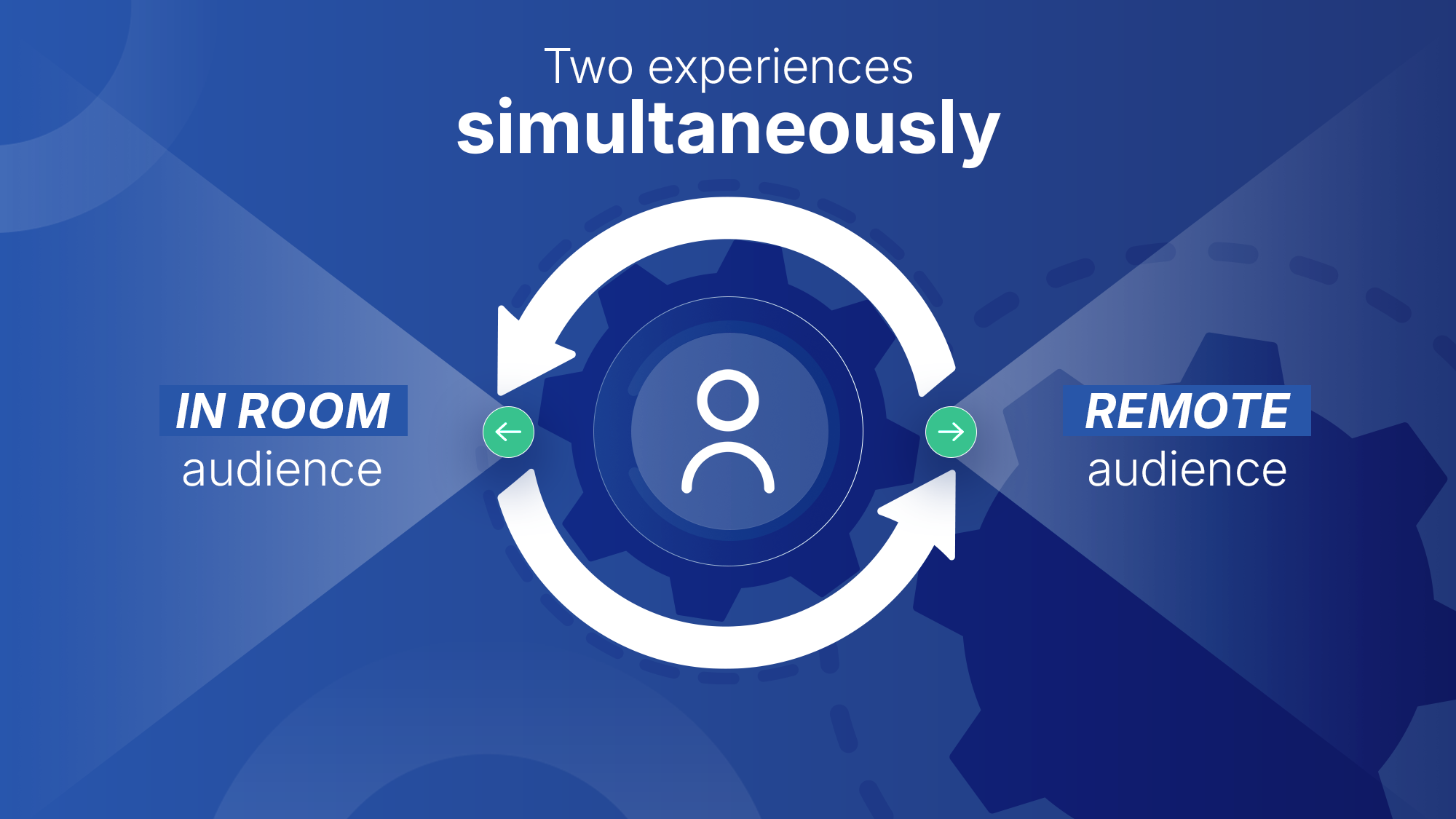
on the screen. It’s like speaking to a colleague sitting right beside you while another listens from behind a window. They’re part of the same meeting, but what each person sees, hears, and focuses on can be completely different.
That’s why clarity becomes the anchor of every successful hybrid presentation. In today’s distributed work environment, your slides carry far more weight than they once did. They must keep both audiences aligned, even when they’re experiencing your message in very different ways.
Looking at strong virtual presentation examples can make this obvious. Hybrid-friendly slides rely on:
- Clean, structured layouts
- Smooth visual flow
- A storyline that guides remote viewers without overwhelming them
SlideHub emphasizes this in its PowerPoint outsourcing guide.
“High quality is a necessity… if the product is not on par with your requirements, you end up spending more time correcting mistakes than gaining from outsourcing.”
The same principle applies to hybrid pitching: low-quality slides drain time, attention, and trust.
This is why strong corporate presentation design foundations matter. Consistent branding, intentional layouts, and a clear narrative help create a unified experience, ensuring that every audience member, whether in-person or remote, receives your message with the same level of clarity and professionalism.
Mistakes to Avoid in Virtual Presentations
Once you understand how hybrid pitching works, the next step is to avoid the common pitfalls that can quietly weaken virtual presentations. After more than a decade of designing slides and supporting global teams across countless hybrid meetings, we’ve seen the same mistakes derail otherwise strong messages.
They may seem small, but in a hybrid room where attention is already divided, these issues multiply quickly.
Here are the mistakes we see most often:
- Slides overloaded with text or visuals
- Formatting that shifts from slide to slide
- Competing fonts, styles, or imagery
- One slide is trying to communicate too many ideas at once
These problems are even more damaging in virtual presentations. Remote viewers may only see your slides through a small, compressed window. In-room viewers might be sitting far from the screen. When slides are cluttered, inconsistent, or visually noisy, attention drops almost immediately.
Our Present Better breakdown of the most common presentation mistakes highlights this clearly. One of the fastest ways to lose your audience, especially remote viewers, is cramming too much information into a single slide. It forces people to read instead of listen and increases cognitive load, particularly for virtual participants who can’t rely on body language or nonverbal cues to stay connected.
For a deeper dive into chart clarity, our guide on how to present data in PowerPoint demonstrates how to simplify visuals, highlight key insights, and design data that hybrid audiences can instantly grasp.
This is where simple PowerPoint rules become incredibly valuable. Used correctly, they:
- Prevent information overload
- Reinforce your core message
- Keep both audiences aligned
- Support a smoother, more confident delivery
These principles also set the stage for the next section, where you will learn hybrid-specific techniques that make your delivery feel clear, engaging, and effortless.
Essential Tips for Presenting in Hybrid Environments
What Makes a Strong Hybrid Presentation? (Core Behaviors)
Across expert sources, including VirtualSpeech, Cutting Edge PR, Julie Hansen’s hybrid presentation techniques, and hybrid communication research, one message emerges repeatedly: hybrid success stems from making both audiences feel equally seen.
Here are the core behaviors that make the biggest difference:
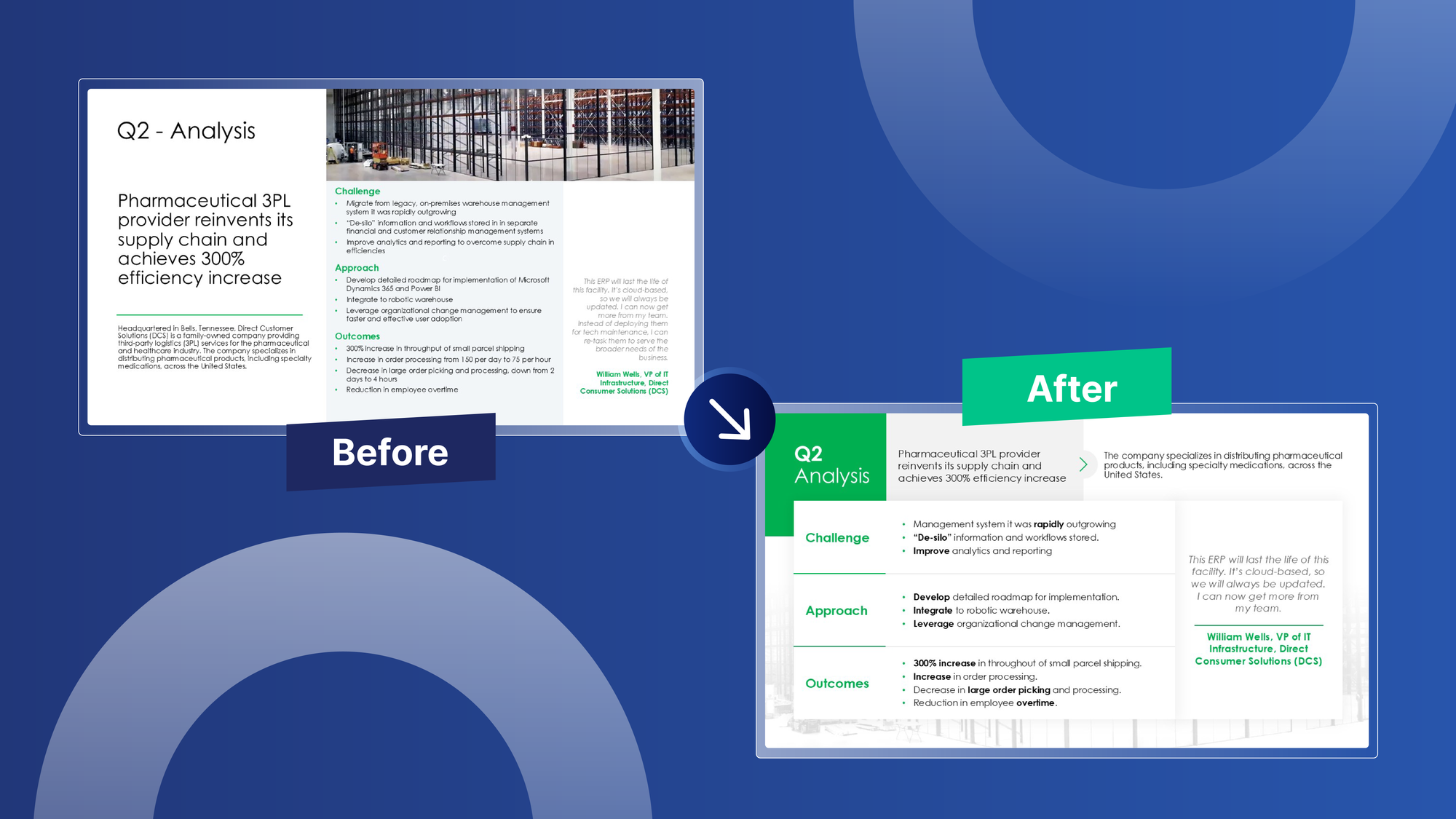
- Look into the camera regularly. Remote attendees depend on the camera to feel included. A few moments of eye contact per slide go a long way.
- Pause after key points. Short pauses help account for audio delay and give remote viewers time to respond or type questions.
- Repeat or paraphrase in-room comments. Remote participants often miss side conversations. Restating questions keeps everyone aligned.
- Use clear verbal transitions. Phrases like “For those joining online…” or “People in the room…” help direct attention and clarify who should respond.
- Slow your pace slightlyPausing after key points supports both in-room and remote participants by reducing audio lag and giving everyone time to respond.
These behaviors align with findings from Julie Hansen, which show that hybrid presenters must intentionally design how each audience hears, responds, and participates.
If you rely on notes, our guide on how to add and use speaker notes in PowerPoint walks you through preparing structured talking points without cluttering your slides.
How to Design Slides That Work in Hybrid and Remote Settings
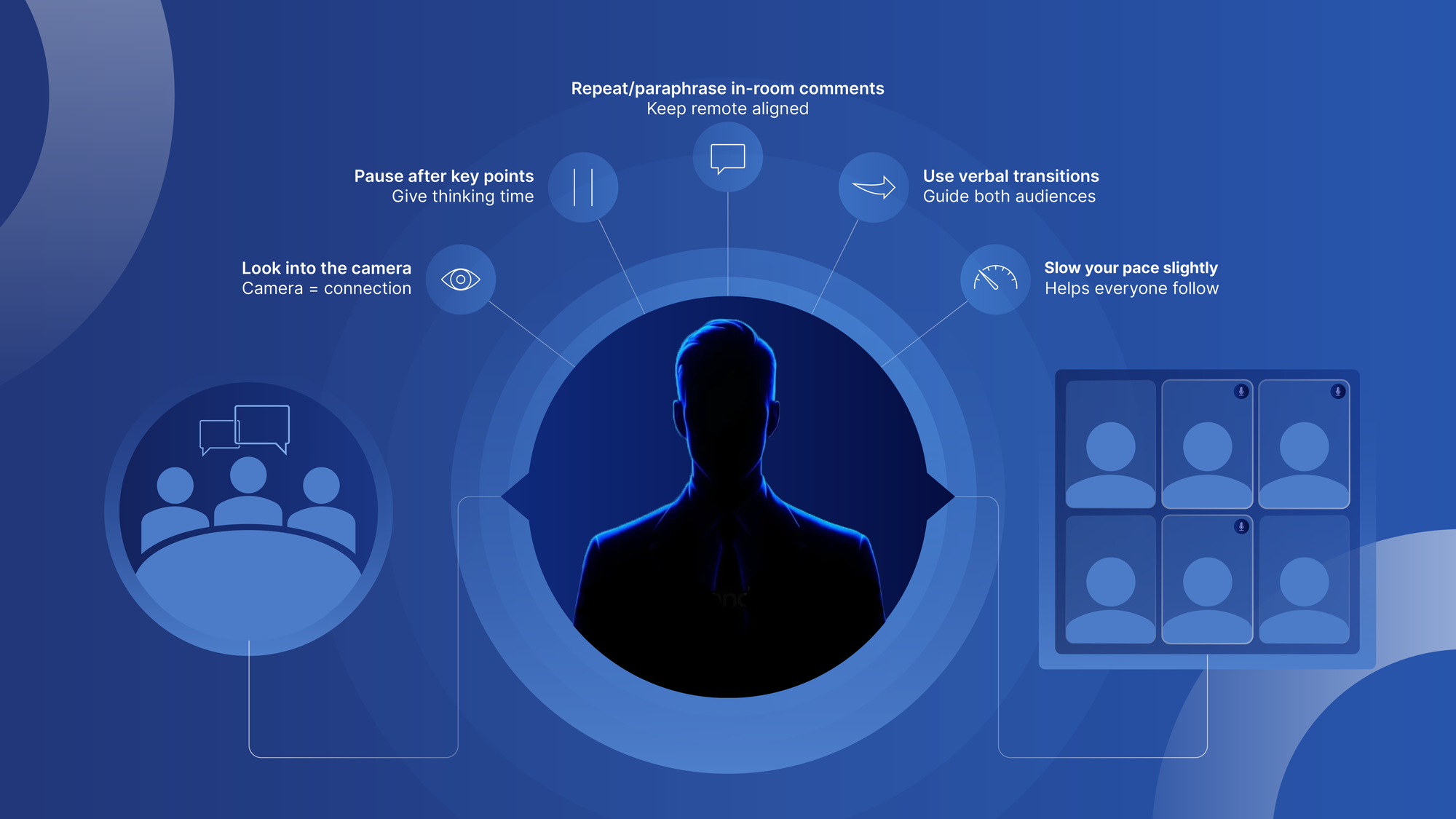
Hybrid audiences face clarity challenges that presenters often overlook. Remote viewers may be watching through smaller windows, low-resolution streams, or while multitasking. In-room viewers might be seated far from the screen. In both cases, your slides need to work harder to communicate quickly and cleanly.
The following design principles help ensure your visuals stay clear in virtual presentations, virtual sales presentations, and any setting that requires strong corporate presentation design.
- Use Contrast and Color Purposefully
Color isn’t just decoration; it guides attention. A simple, brand-aligned palette paired with strong contrast makes your slides far easier to process, especially for remote attendees.
Effective hybrid slides use:
- High contrast between text and background
- Consistent color cues to highlight key points
- Accessible palettes that work for viewers with visual impairments
Thoughtful contrast reduces visual strain and helps every audience, onsite or online, instantly understand what matters most.
- Simplify Data for Instant Comprehension
Charts need to communicate insights quickly. In hybrid settings, complicated data slides can overwhelm viewers who don’t have the benefit of seeing your gestures, reading your body language, or asking clarifying questions easily.
To keep your data clear:
- Limit the number of data series
- Remove unnecessary labels
- Use a clean visual hierarchy
- Highlight the exact number or trend your audience should notice
These practices align with widely accepted design principles for PowerPoint in academic and business environments.
- Prioritize Readability With Online Presentation Principles
Microsoft’s 5 Golden Rules of PowerPoint Design reinforce what hybrid presenters need most: simplicity, structure, and readability.
Key guidelines include:
- clean, uncluttered layouts
- generous spacing
- easy-to-read font sizes
- a clear visual hierarchy that guides the eye
If you need help applying these principles, professional PowerPoint designers from a presentation design agency can refine your slides while keeping them hybrid-friendly.
Using Motion and Navigation to Enhance Your Story (Not Distract From It)
Animations and transitions can elevate your hybrid presentation if they support your message instead of competing with it. When used with intention, motion helps guide attention, reveal ideas at the right moment, and make complex information easier to follow. But when overused, it quickly becomes distracting, especially for remote viewers who may already be dealing with lag, small screens, or video compression.
Here’s how to use motion strategically in virtual presentations and hybrid environments:
- Subtle animation: Minimal fades, appear effects, and gentle emphasis animations can help your audience focus without pulling them out of the story. The goal is to make transitions feel natural, not flashy.
Simple guidance applies here:
- Use motion sparingly
- Choose effects that are smooth and predictable
- Avoid dramatic or fast animations that feel jarring on video
A little goes a long way.
- Non-linear storytelling with PowerPoint Zoom: PowerPoint’s Zoom feature lets you navigate your deck more fluidly, jumping between sections based on the conversation. This is extremely effective in sales calls or leadership meetings where questions may shift the direction of your story.
Zoom allows you to:
- Move seamlessly between topics
- Revisit earlier slides without losing momentum
- Adapt your narrative to what your audience needs in real time
For a deeper look at when Zoom works best and how to use its different modes strategically, you can explore our full guide on PowerPoint Morph and Zoom.
- Sequential builds: Revealing content one piece at a time helps your audience process ideas more effectively. This is especially valuable in hybrid settings, where it’s easier for remote viewers to lose their place during complex explanations.
Sequential builds:
- Reduce cognitive load
- Keep attention steady
- Make layered concepts easier to follow
- Support a clearer, more intentional narrative structure
- Transitions matched to pacing: At 24Slides, we recommend using transitions and moving slides that mirror the rhythm of your story. Smooth motion enhances flow; flashy effects break immersion
Choose transitions that are:
- Smooth
- Subtle
- Aligned with your narrative pace
Avoid overly dynamic transitions; they can break immersion and feel gimmicky, especially when used on remote screens.
If your hybrid presentation needs to run automatically, like in booths, lobbies, or waiting rooms, our PowerPoint autoplay guide walks you through automating transitions smoothly.
PowerPoint Rules for Clarity:
What is the 5 5 5 rule of PowerPoint?
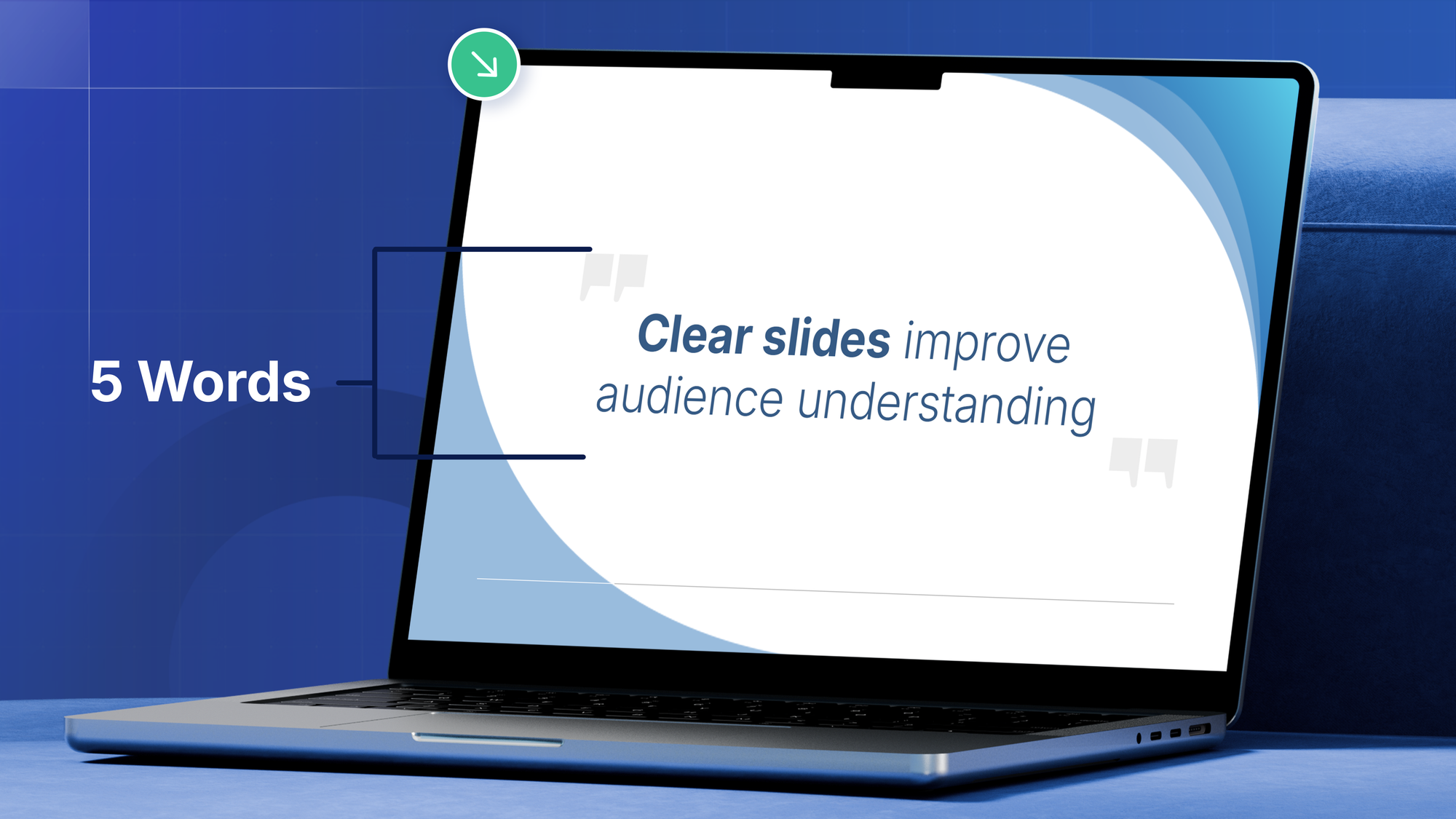
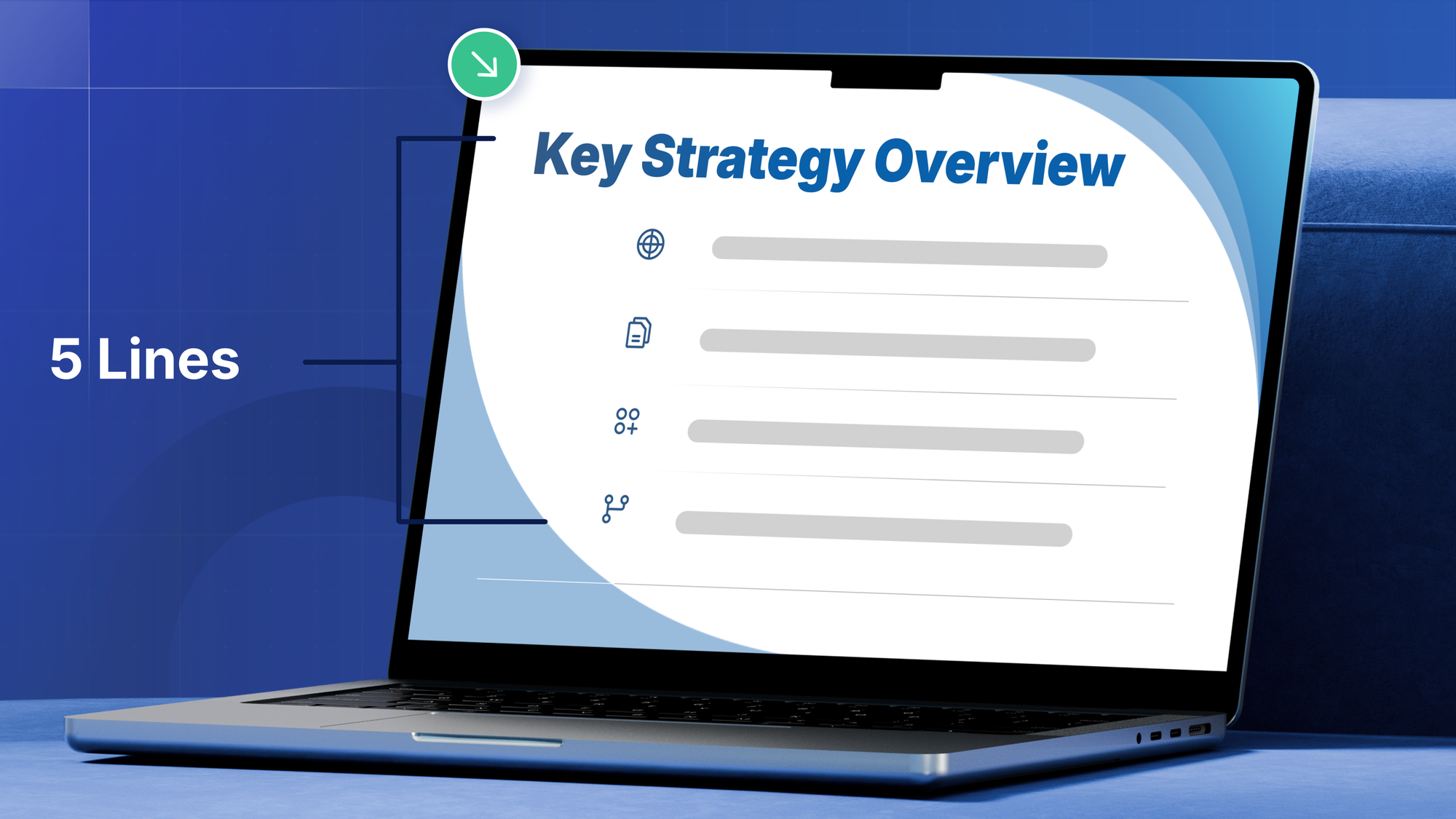
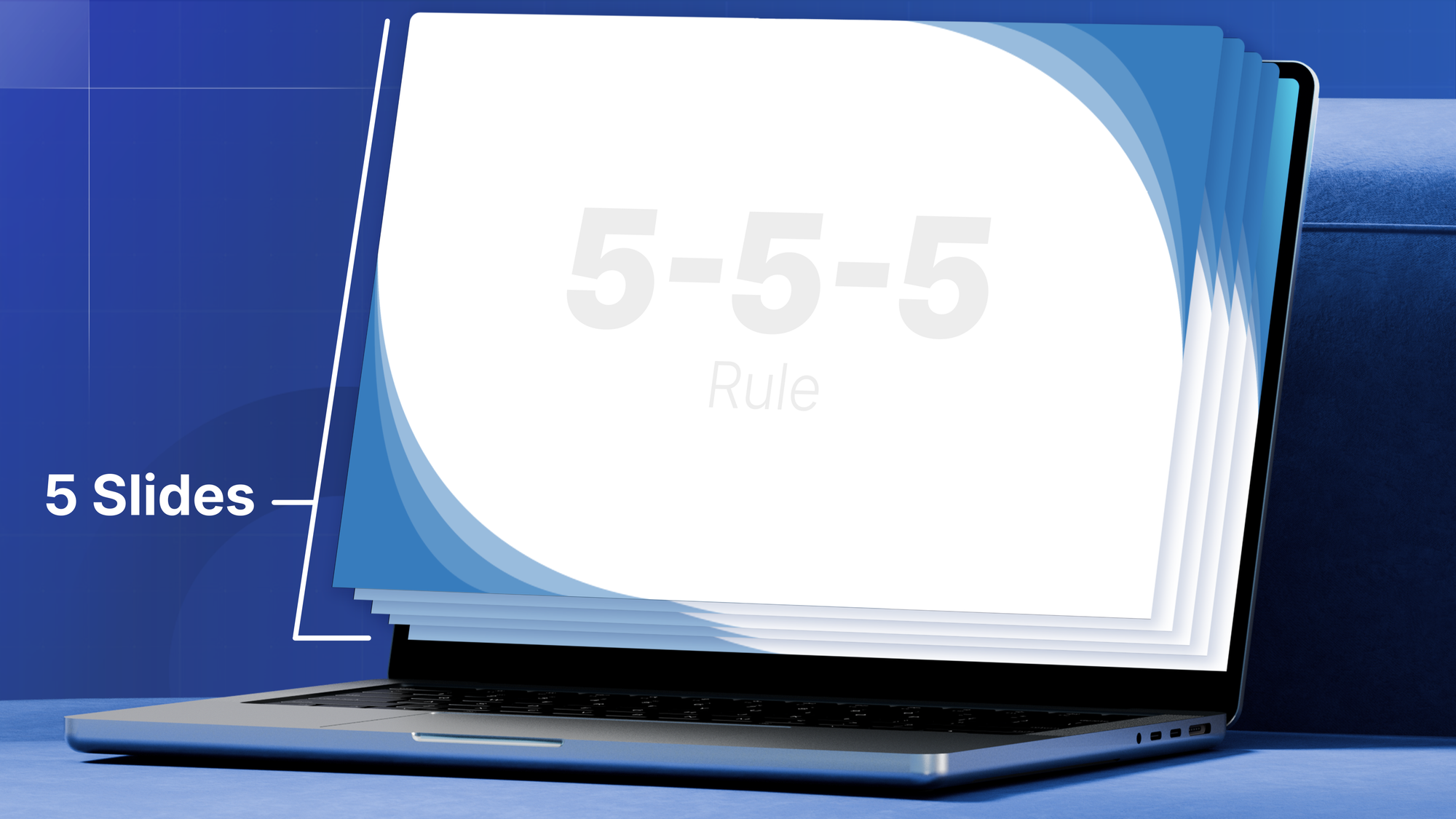
The 5-5-5 rule recommends:
- 5 words per line
- 5 lines per slide
- No more than 5 dense slides in a row
This technique ensures that your slides reinforce your narrative instead of overwhelming it, especially critical in virtual presentations, where screens may be small or of low resolution.
Design experts champion this approach because it keeps each slide focused on one message. The 5-5-5 Rule of PowerPoint Presentations
What is the 10 20 30 rule of PowerPoint?
Created by Guy Kawasaki, the 10-20-30 rule recommends:
- 10 slides
- 20 minutes of content
- 30-point font minimum
The rule keeps your content concise, essential in hybrid settings where distractions are high.
HubSpot reinforces this thinking, explaining that the rule “forces you to focus on only the most important points,” which is especially valuable when presenting to hybrid audiences who face more distractions. Combined with corporate PPT design standards, clean layouts, strong hierarchy, and generous white space, these rules create slides that feel effortless to follow.
What makes a Professional PowerPoint Presentation?
Even before animations or fancy graphics, professional presentation slides simply feel different. They’re easier to follow, kinder on the eyes, and make your message look more credible, whether you're presenting in person, remotely, or both.
After designing more than 1.5 million slides, we’ve found that polished decks usually share a few key traits: clear structure, readable typography, intentional color choices, ample white space, and data visuals that don’t overwhelm.
These don’t just make your slides “pretty.” They make your audience’s job easier.
If you want to build those skills, here are helpful deep dives:
- Just getting started? Our PowerPoint 101 guide breaks down the essentials.
- Want consistent, on-brand slides? Here’s how to create a PowerPoint template that actually works for teams.
- Need more control? Our Master Slides tutorial shows you how to lock in structure and branding.
- Wondering why consistency matters? See why brand identity shapes presentation credibility.
- Want inspiration? Explore our collection of branded presentation examples created for global companies.
When good design becomes essential
For high-stakes meetings, external audiences, or decks representing your brand, great design becomes more than a “nice-to-have.” Many teams turn to professional PowerPoint design services when they need on-brand clarity fast, especially for executive or customer-facing content.
If that’s where you’re headed, 24Slides designers can help elevate your message with visuals that feel sharp, consistent, and ready for any audience.
What makes a virtual sales presentation engaging?
A polished deck sets the foundation, but engagement is what ultimately determines whether a virtual sales presentation succeeds. Without in-person presence or body language, your tone, pacing, and clarity carry more weight than ever. Virtual audiences are easier to distract and harder to win.
For a deep dive into what separates top-performing sales decks, explore our guide to the best sales presentation services. And if you want to turn your virtual presentations into lead-generating tools, our guide on using PowerPoint to increase online leads walks through how to apply persuasive visuals and CTAs effectively.
Engagement Behaviors That Build Trust and Keep Attention
Engagement in virtual sales settings begins with behaviors that feel human and intentional.
If you want help crafting the opening moments of your pitch, our guide on how to start a sales presentation breaks down techniques that capture attention from the first slide.
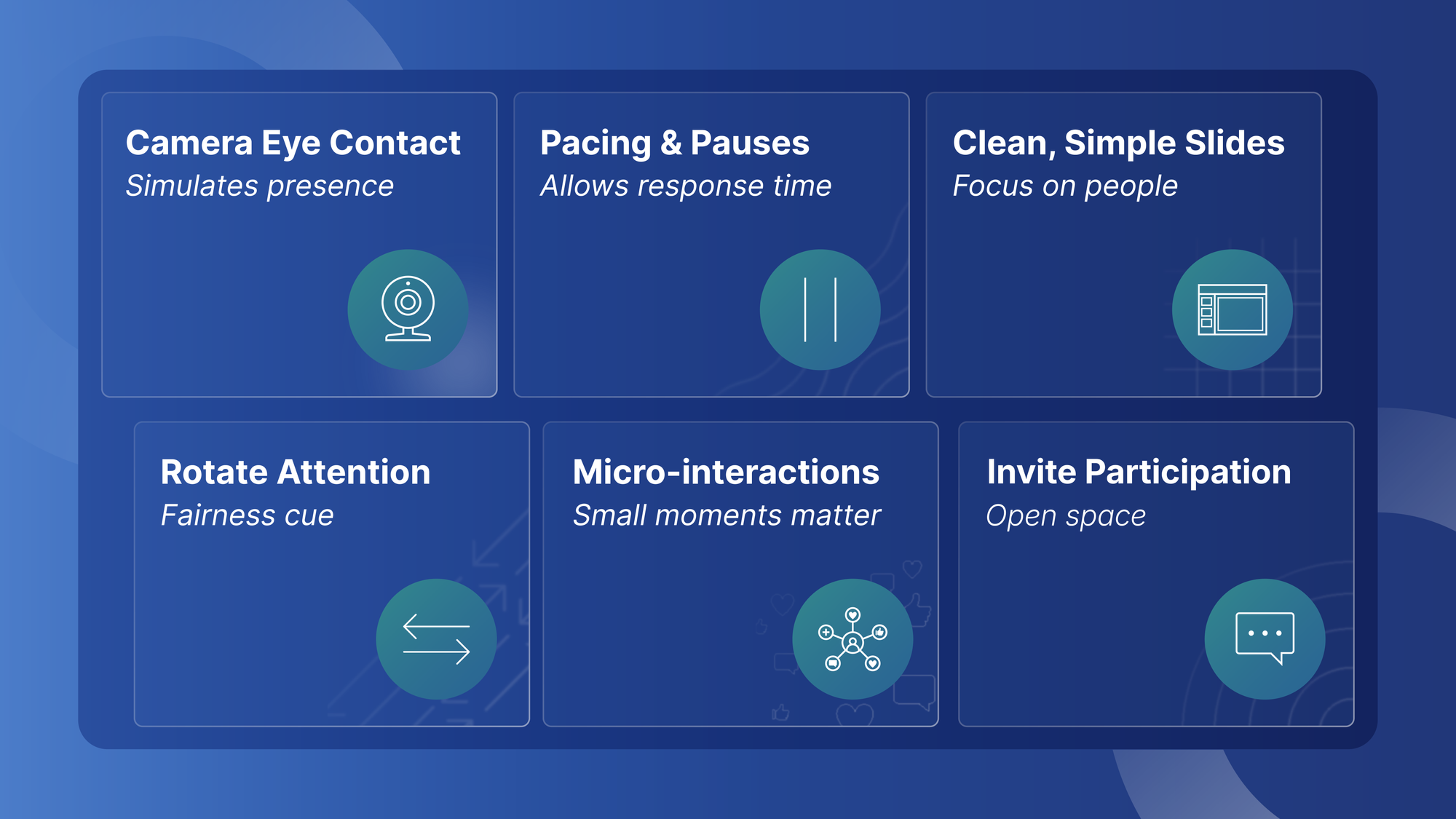
- Look into the camera to simulate eye contact
- Use steady pacing and strategic pauses
- Keep your slides clean so you can stay focused on people, not content blocks
VirtualSpeech’s virtual presentation tips emphasize camera presence as one of the most crucial aspects, noting that speaking directly to the camera helps remote viewers feel addressed personally.
Harvard Business Review notes that strong hybrid presenters intentionally rotate their attention between remote and in-room participants, signaling fairness and helping every attendee feel included.
And engagement doesn’t require theatrics. Small moments work:
- Quick check-ins
- Light polls
- Reactions
- Simple chat prompts
- Short pauses that invite questions
For inspiration on what strong sales storytelling looks like, you can browse our PowerPoint sales presentation examples, all built for clarity and persuasion.
Tools and Techniques That Turn Viewers Into Participants
In virtual sales settings, interaction is what transforms passive viewers into buyers.
- Use interactive tools
Tools like Mentimeter give presenters a free and accessible way to add interaction. According to Mentimeter:
“Polling your audience can be the most effective way to increase engagement and make a presentation dynamic and memorable.”
Mentimeter makes it easy to introduce simple, high-impact activities:
- Multiple-choice polls to gather opinions.
- Word clouds to surface common themes in real time.
- Ranking and scale questions to understand priorities.
- 2x2 grids or 100-point questions for quick decision-making or trade-off discussions.
- Instant dynamic feedback where results animate live as responses come in.
These lightweight interactions can immediately energize a virtual sales presentation without disrupting your flow. They’re simple, visual, and inviting, ideal for audiences who may be hesitant to speak up on camera. This aligns with many of the most effective online presentation tips.
For B2B teams, our guide to creating the perfect B2B sales presentation explains how to structure your message, emphasize value, and guide decision-makers through hybrid conversations.
- Use lightweight interactions
We recommend simple, quick engagement:
- Chat-based responses
- Emoji reactions
- Short written answers
These keep the conversation active without interrupting your flow.
Use on-screen annotations
Communispond reinforces the power of on-screen highlighting, circling a number, underlining a statement, or marking a comparison, to guide attention and make remote walkthroughs feel more personal.
Across all of these techniques, clarity is what maintains momentum. When buyers know when to engage, how to respond, and what to focus on, they feel more confident participating, which leads to more productive conversations.
When should teams outsource presentation design?
Every growing organization eventually hits the same realization: great presentation design isn’t a luxury. It’s leverage. It shapes perception, accelerates alignment, and becomes a true competitive edge, especially in hybrid environments where your slides often do the talking for you.
Outsourcing becomes transformative the moment a team needs clarity, speed, and consistency on a large scale. Here’s when it creates the biggest impact.
If you want a quick, visual breakdown of what outsourcing means and how it works across teams, our infographic on what outsourcing is provides a simple overview.
- When communication needs to scale across the entire organization
Large organizations communicate constantly, including other key initiatives, sales enablement, internal training, global events, and more. When every team member is expected to “just make the slides,” the result is predictable:
- Inconsistent design
- Lost hours spent fixing formatting
- Decks that don’t reflect the brand
Presentation outsourcing removes this pressure. It provides a streamlined system where every deck is polished, consistent, and ready for high-stakes communication.
If you're evaluating partners, our guide to questions to ask before hiring a presentation agency highlights what smart teams look for in expertise, workflow, and turnaround.
- When teams can’t afford design bottlenecks
Consulting firms, financial organizations, and hybrid-first teams operate at a rapid pace. They can’t afford hours spent rebuilding broken layouts or searching for the right template. According to SlideHub, the teams that benefit most from long-term design partnerships are those that need:
- Brand consistency
- Fast turnaround
- Reliable, high-quality slides
This isn’t just PowerPoint outsourcing, it’s operational acceleration.
If you're deciding whether to scale internally or externally, our in-house vs agency vs freelancer guide explains the tradeoffs clearly.
- When global consistency becomes non-negotiable
As companies expand across regions, maintaining visual consistency becomes both more challenging and increasingly essential. SlideGenius highlights how standardized presentation systems ensure that every deck, no matter who creates it or where they’re located, looks professional, aligned, and on-brand.
In hybrid presentations, that consistency builds credibility before a single word is spoken.
- When hybrid communication drives deals and decisions
Harvard Business Review makes it clear: in hybrid environments, your slides are the room. They shape understanding, influence decisions, and determine how effectively stakeholders stay aligned. Teams that invest in professional presentation design services communicate more clearly, close deals faster, and reduce risk in critical moments.
For teams managing multiple markets, our guide on brand implementation explains how to apply a brand system consistently across decks, regions, and presenters.
To compare different models and choose the best-fit partner, our article on how to choose the right presentation design agency breaks down cost, quality, scale, and support factors.
Next Steps to Improve Your Hybrid and Virtual Presentations
Environment, clear visuals, purposeful storytelling, and thoughtful slide design aren’t “nice-to-haves”; they’re essential. They close the gap between in-room participants and remote viewers, helping everyone stay aligned and engaged.
The best part? You don’t have to do this alone.
With the right tools, principles, and partners, your presentations can become one of your strongest strategic assets. Whether you refine your own slides using the guidance in this article or team up with a professional presentation design service, the goal remains the same:
Bring clarity, structure, and presence to your ideas anywhere, anytime, with any audience.
For a broader look at outsourcing models and workflows, our complete guide to outsourcing design work covers when each approach makes sense.
Ready to Transform Your Hybrid Presentations?
If creating slides is draining your team’s time, or if you want your presentations to feel more polished, persuasive, and aligned, we’re here to support you.
Our team of 100+ in-house designers at 24Slides creates on-brand, professional presentations for global teams every day. Whether you need help with one critical meeting or want a scalable design partner, we can help you deliver slides that stand out in both hybrid and virtual settings.
If you need to hire a PowerPoint designer, start here.
Here are simple ways to get started:
- Get a free quote to see how quickly we can transform your deck
- Explore 24Slides’ professional templates for immediate improvements
- Book a short call to discover custom solutions for your team
- Visit our portfolio to see real examples of our work
Your ideas matter. They deserve to be presented with confidence, clarity, and impact every time. We’d love to help you make that happen.
Build even better presentations with these resources: